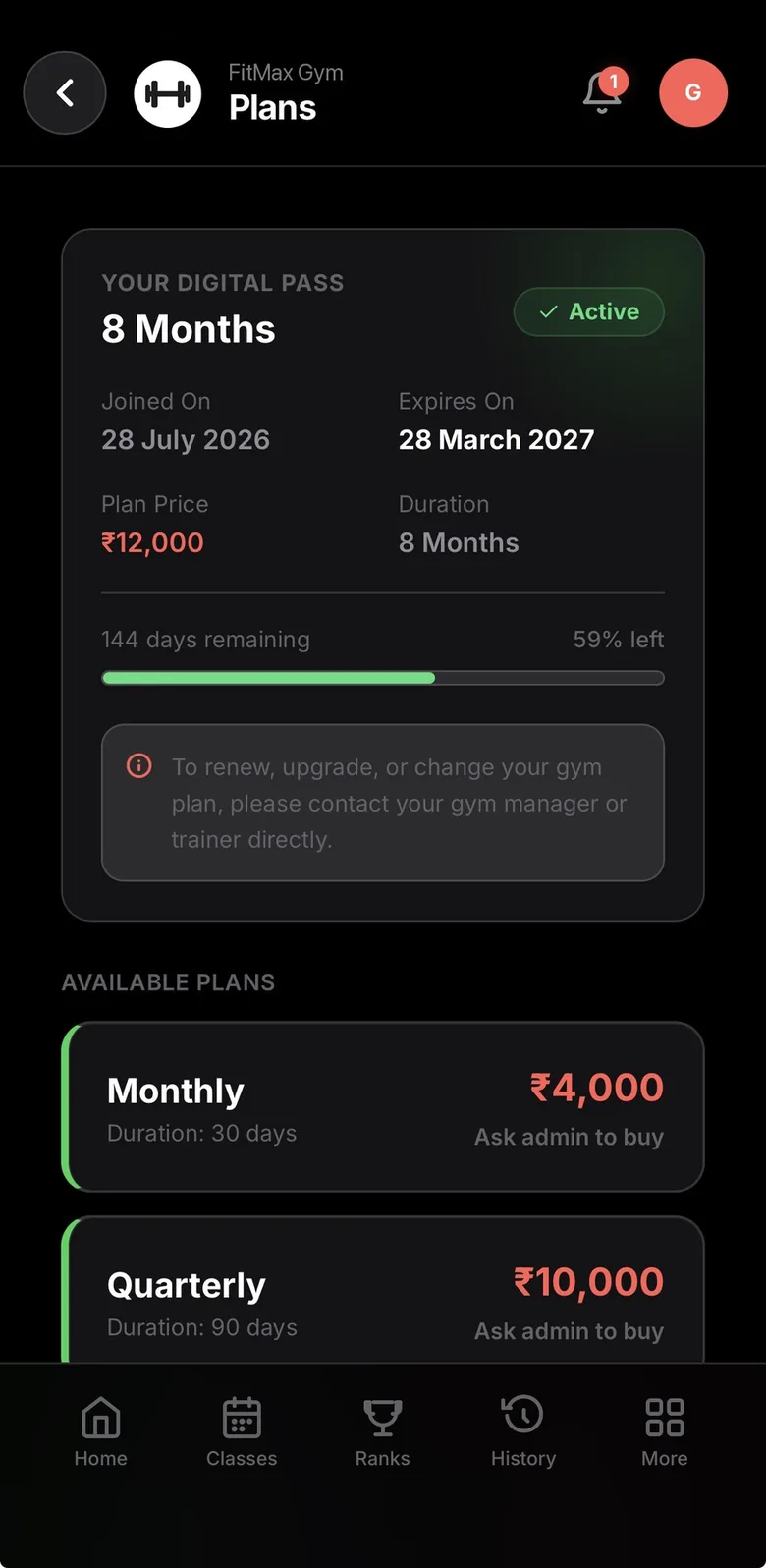
GymVise lets members renew their plan and pay in the app through your gym’s own Razorpay account, using UPI, cards and the other methods Razorpay offers. The price comes from your plan in GymVise, payments are verified automatically, and the renewal starts when the current plan ends so no days are lost. Cash, UPI, card and bank payments taken at the desk are recorded in the same ledger.
How does a member pay online?
- The member opens their membership card in the GymVise app and picks a plan.
- GymVise creates the order at the price set on that plan. The app never sends the amount, so it cannot be changed on the phone.
- The member pays through Razorpay’s checkout.
- GymVise verifies the payment with Razorpay and extends the membership. If the current plan is still running, the new term starts when it ends.
Each payment is processed once, even if the app and Razorpay’s confirmation both arrive at the same time, so a member is never charged twice for the same renewal.
Where does the money go?
You connect your gym’s own Razorpay account to GymVise. Payments are made to your account, and Razorpay settles them to your bank on its normal schedule. Razorpay charges its own transaction fees under your agreement with them. Online payments are switched on for your gym by the GymVise team, after which you connect Razorpay from the dashboard.
Can members use referral credit?
Yes. If your gym runs the GymVise referral programme, members can apply their wallet balance to a renewal, up to the share of the fee you set. The rest is paid through Razorpay.
What about payments at the desk?
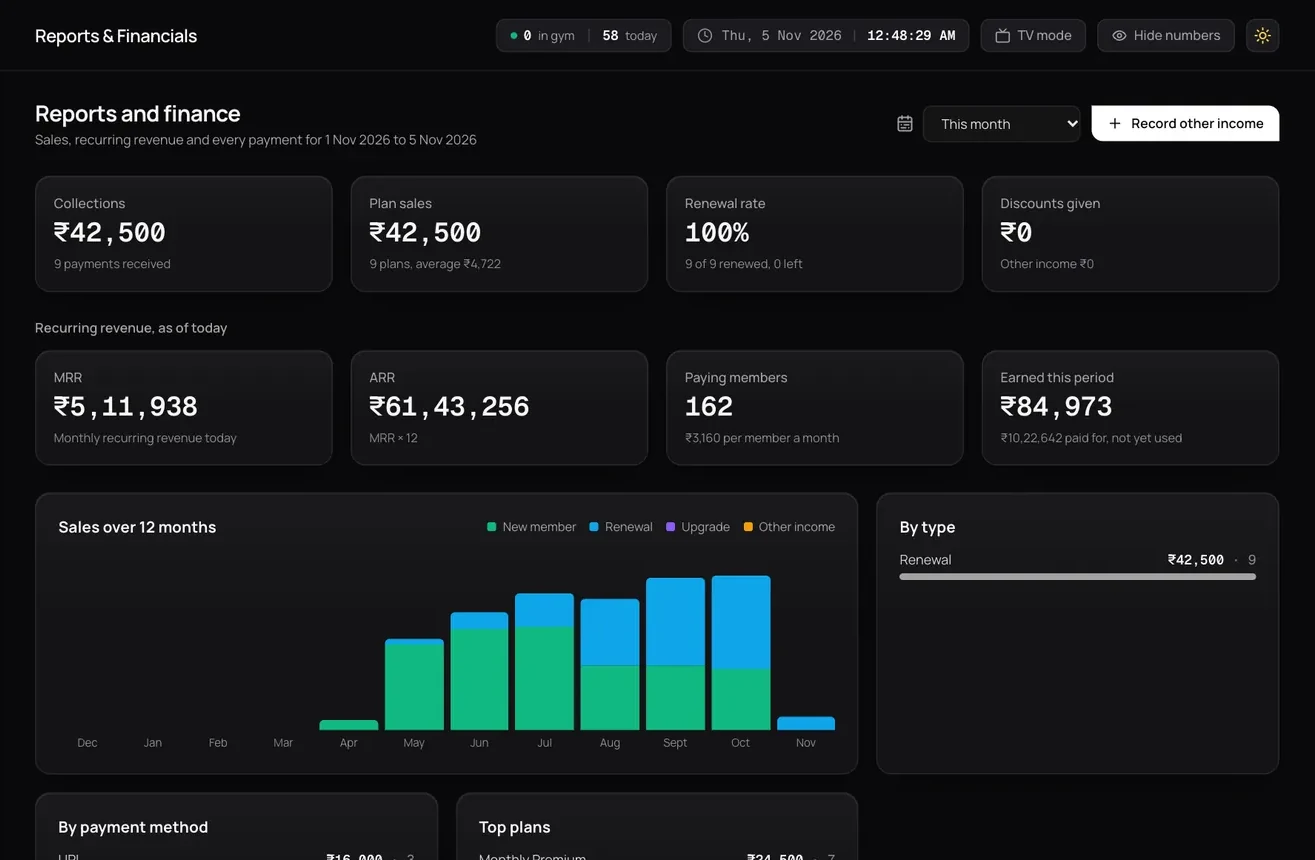
Not everyone pays online. Staff record cash, UPI, card, bank transfer, NEFT and cheque payments against the member in the dashboard, so every rupee sits in one ledger. Owners see collections by method, pending dues and monthly revenue, and can export payment records as CSV for their accountant.
Why does online renewal matter for a premium gym?
Members of chains renew in an app in seconds. If your members have to queue at the desk or transfer money to a staff member’s phone, your gym feels older than it is. Online renewal, paired with reminders before the plan ends, removes the most common reason for a lapse: simply forgetting. See winning back expired members.
What does it not do?
- It does not file GST returns. Payments export as CSV for your accountant. See 5% GST on gyms.
- It does not set up automatic recurring debits. Members renew each term.
- It works with Razorpay only. Other payment gateways are not supported yet.
Sources
Checked 14 November 2026.
See it with your own gym’s data
Book a demo and we will set it up with your plans, members and timetable.
Book a free demoFrequently asked questions
Yes. Members renew in the app through the gym’s own Razorpay account using UPI, cards and other Razorpay methods, once online payments are enabled for the gym.
No. Payments go to the gym’s own connected Razorpay account, and Razorpay settles them to the gym’s bank.
No. If the current plan is still active, the new term starts when it ends.
Yes. Staff record cash, UPI, card, bank transfer, NEFT and cheque payments against each member in the same ledger.