GymVise's trainer tools let personal trainers assign workouts and diet plans from templates in seconds, see every client's full training history, track personal training sessions and chat with members in the app, instead of juggling printed sheets and WhatsApp threads.
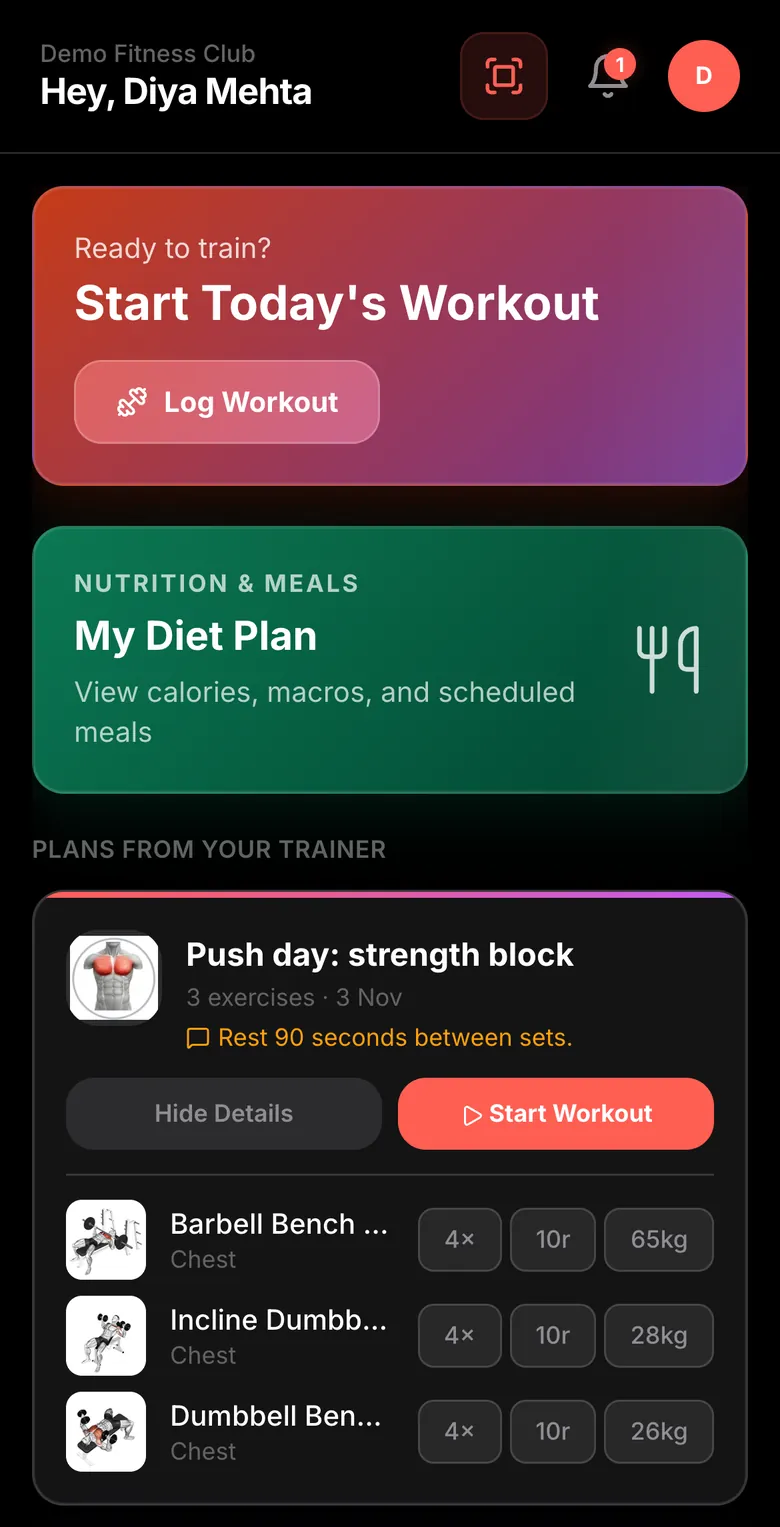
What trainers can do in GymVise
- Workout templates: start from curated programmes (Push/Pull/Legs, Upper/Lower, Full Body, body-part splits) or build your own routine, then assign it to a member with an optional note such as "start with two warm-up sets".
- Diet plans: set daily calories and macros (protein, carbs, fat), build a meal schedule food by food, pick a goal (weight loss, maintenance or muscle gain) and save any plan as a reusable template.
- Client history: see every workout a client has logged, set by set, plus their body measurements and diet history.
- Personal training: enrol PT clients on a package, log each session, see sessions left and renew the package when it runs out.
- In-app chat: message members inside GymVise instead of sharing a personal phone number.
- Trainer dashboard: today's classes, PT clients, plans assigned this week and coaching insights in one view.
A trainer's day with GymVise
- Morning: open the trainer dashboard to see today's classes and which PT clients are due.
- New member joins: pick a template, adjust a few exercises, assign it. The member sees it in their app before their first session.
- PT session: train the client, then tap Log session. Sessions left update automatically, so there is no arguing over a paper card.
- Nutrition check-in: review the client's measurements, tweak calories and macros, and save the new diet plan. The old one stays in their diet history.
- Between sessions: answer a client's question in chat, or check whether they actually did Thursday's workout.
Workout and diet plans members actually follow
A printed sheet gets lost in a gym bag; a WhatsApp screenshot gets buried. In GymVise, the plan lives in the member's gym workout app, exercise by exercise, with an exercise library and muscle diagrams for anything unfamiliar. Members log sets, reps and weights as they go, so the trainer can see real progress instead of guessing.
Diet plans work the same way. Members open the app to see their daily calorie and macro targets and the meal schedule their trainer built, rather than scrolling back through chat for a PDF.
Personal training packages without the paperwork
| Task | On paper or WhatsApp | In GymVise |
|---|---|---|
| Enrolling a PT client | Note in a register | Assign client to a coach with package, price and start date |
| Counting sessions | Punch card or memory | Each session logged; sessions left shown on the client profile |
| Renewal | Noticed when the card runs out | Expired and used-up packages flagged on the owner dashboard |
| Client progress | Trainer's notebook | Workouts, measurements, diet and session timeline in one profile |
Why it matters for the gym owner
Trainers are a gym's biggest retention asset. When their programmes live in the member's app and they can see whether clients follow them, coaching improves and clients stay longer. It also keeps client relationships and training history with the gym, not on a trainer's personal phone, so nothing is lost if a trainer leaves.
Owners see personal training at a glance on the owner dashboard: active PT clients, expired packages and clients who have used all their sessions, which are natural renewal conversations.
How to set it up
- Add your trainers as staff in the dashboard; each gets their own login.
- Create or copy a few workout and diet templates your trainers use most.
- Enrol existing PT clients with their packages and remaining sessions.
- Ask members to download the app so assigned plans reach them.
Related: workout tracking for gyms · class booking · the connected gym ecosystem
Frequently asked questions
Yes. Trainers set daily calories and macros, build a meal schedule, choose a goal such as weight loss or muscle gain, and assign the plan to a member, who sees it in the app. Plans can be saved as templates.
Yes. Trainers can start from curated programmes such as Push/Pull/Legs, Upper/Lower, Full Body and body-part splits, or build custom routines, and assign them with a note to the member.
Yes. Trainers enrol clients on a PT package, log each session and see how many sessions are left. Owners see expired and used-up packages on the dashboard.
Yes. GymVise includes in-app chat between trainers and members, so trainers don't need to share personal phone numbers.
Trainers use the same GymVise app with a trainer login, which shows their dashboard, clients, templates and chat.