For almost every independent gym, a platform app is the better choice in 2027. A custom app costs lakhs to build, needs updates every year to stay on the App Store and Play Store, and still needs the booking, payments and attendance systems behind it. A good platform app shows your gym’s name and logo, runs your plans and timetable, and lets you spend the money on coaches and equipment instead.
Why do gym owners want their own app?
The reasons are good ones. Owners see Cult.fit and other chains with polished apps and feel their gym looks smaller without one. They want their brand on members’ phones, not a software company’s. And they want to own the relationship with their members.
All three goals are reachable. The question is whether a custom-built app is the cheapest and safest way to reach them.
What does a custom gym app really cost?
The first build is the smaller cost. An app that members actually use needs:
- Two apps, for iOS and Android, kept working through each year’s operating system changes.
- A backend for members, plans, payments, attendance, classes and notifications, with security and backups.
- A staff side for trainers and the front desk, or the app has no data in it.
- Store accounts and reviews, with each update going through Apple and Google review.
- Someone on call when payments fail on a Monday morning.
Many agencies quote only the first build. Ask for the yearly maintenance cost in writing, and ask who fixes it if the developer leaves.
What do the App Store rules say about template apps?
Apple’s App Store Review Guidelines, section 4.2.6, say apps created from a commercialised template or app generation service will be rejected unless they are submitted directly by the provider of the app’s content. In practice this means a cheap “white-label” app that an agency copies for dozens of gyms under each gym’s own developer account is at risk of rejection. Check how any white-label offer handles this before you pay.
What does a platform app look like?
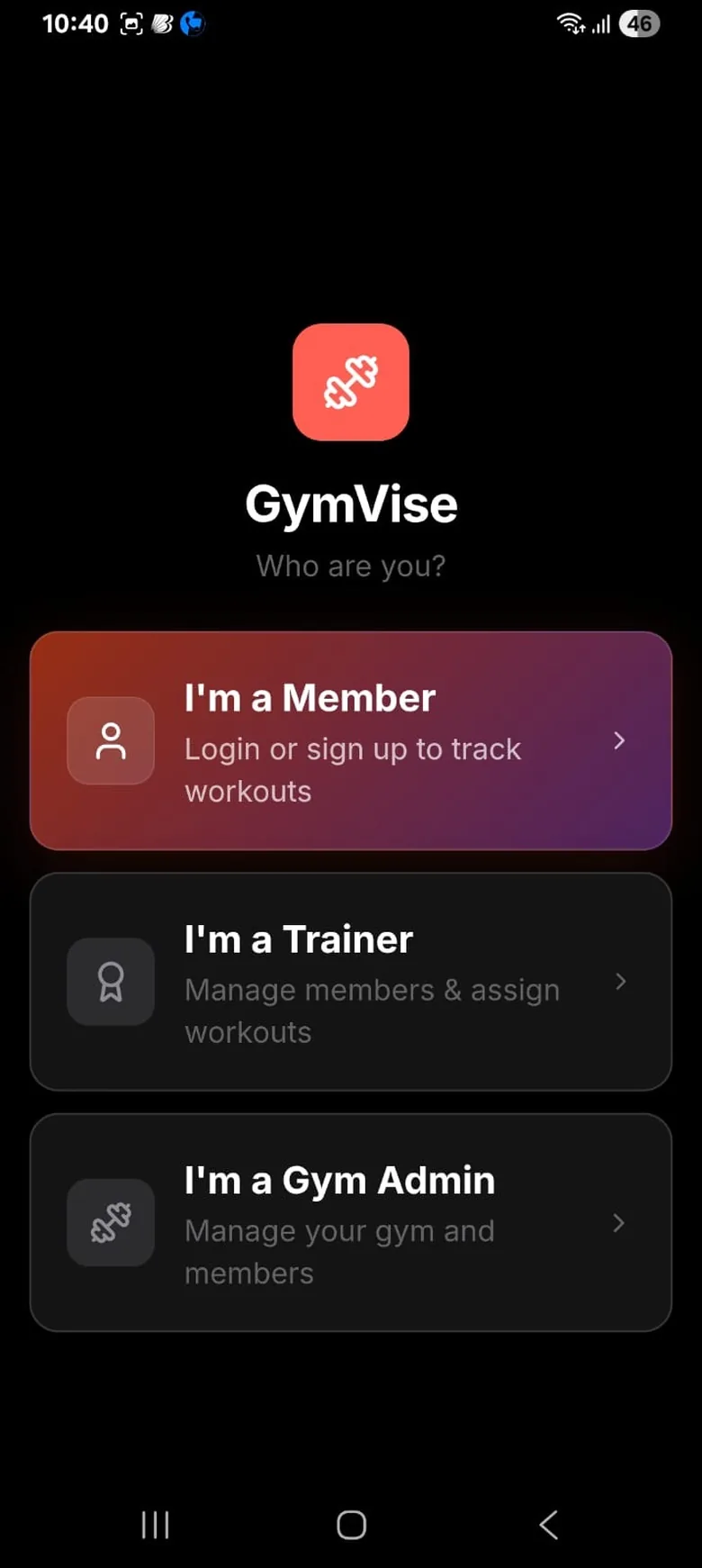
In a platform app, one well-maintained app serves many gyms. Each member joins their gym with a code and sees that gym’s name, logo, plans, timetable and trainers. Your members do not see other gyms’ data, and your staff manage everything from the same system.
How do the two options compare?
- Cost. Custom: a large build cost plus yearly maintenance. Platform: a monthly subscription, often with a free starter tier.
- Time to launch. Custom: months. Platform: days, once members and plans are imported.
- Features. Custom: only what you pay for. Platform: improves every month for every gym.
- Brand. Custom: your own store listing. Platform: your name and logo inside a shared app.
- Risk. Custom: depends on one developer. Platform: depends on one vendor, so check data export before you sign.
When does a custom app make sense?
A custom app can make sense for a chain with many branches, a distinct digital product to sell (for example paid online programmes to non-members), and an in-house tech team. For a single premium gym or a group of two or three, it usually means paying for software engineering instead of coaching.
How do you choose a platform app?
- Is it on both stores, with recent updates? Check the update date and reviews.
- Does it show your brand? Your gym’s name and logo should be what members see.
- Do members use it daily? Workout logging, progress and booking bring them back. A payments-only app does not.
- Can trainers work in it? Plans, diet charts and client notes belong in the same app.
- Can you export your data? Members, payments and attendance should leave with you if you change software.
Our buyer’s guide to premium gym software in Delhi NCR applies these questions to GymVise, Fitplex, AdviceFit and YourDigitalLift using published facts.
What GymVise does and does not do here
GymVise is a platform app on the App Store and Google Play. Members join your gym with a code and see your gym’s logo, plans, timetable and trainers, and the same app opens differently for members, trainers and gym admins. It does not publish a separate store listing under your gym’s name, so a gym that must have its own listing will need a custom build.
Sources
Checked 14 November 2026. Figures from other countries or from vendors are labelled as such, and any example marked as illustrative is not a benchmark.
See how it would work in your gym
We can walk you through the member app and owner dashboard using your own plans and timetable.
Book a free demoFrequently asked questions
Quotes vary widely, and the first build is only part of it. Budget for two apps, a backend, a staff side and yearly maintenance, and ask for maintenance costs in writing.
Apple’s guideline 4.2.6 says apps made from a commercialised template are rejected unless submitted by the content provider. Check how a white-label vendor handles this before paying.
In a good platform app, yes. Members join with your gym’s code and see your name, logo, plans and timetable rather than another gym’s.